Making SVG Pattern Strips Responsive with viewBox
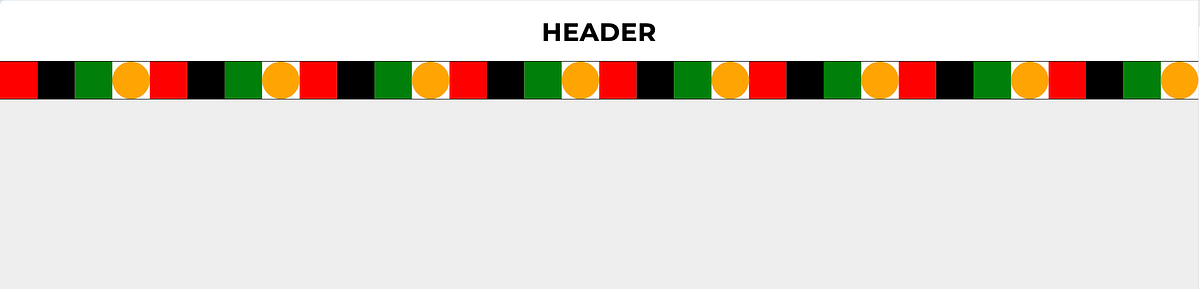
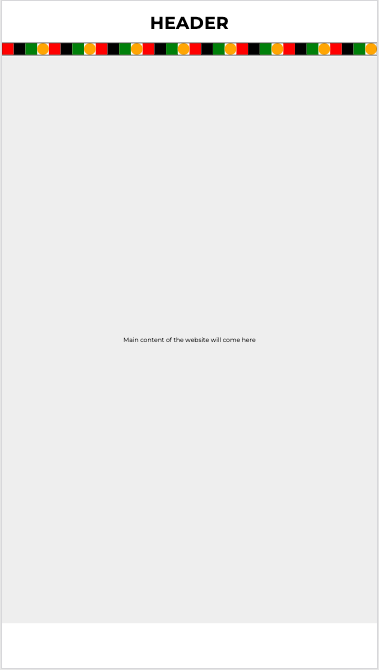
I came across a problem when I had to integrate a strip as a banner which contained many shapes and colors. The goal was that I had to add this below the header and make it responsive. What you see below in the image is a replica of the actual strip I received. And this is how it looks on mobile and desktop.
As you have noticed, SVG’s nature causes it to scale down on mobile. I don’t want it to scale. Left is desktop right is mobile.
The SVG I received had
-
viewBox= 0 0 1920 60and width=100% height=100% -
It looked like the shapes made the same pattern over and over. However, there was no pattern element inside the SVG.
<svg width="100%" height="100%" viewBox="0 0 1920 60" xmlns="http://www.w3.org/2000/svg">
  <!-- 3 rectangles -->
  <rect x="0" y="0" width="60" height="60" fill="red" />
  <rect x="60" y="0" width="60" height="60" fill="black" />
  <rect x="120" y="0" width="60" height="60" fill="green" />
  <!-- circle -->
  <circle cx="210" cy="30" r="30" fill="orange" />
  <!-- 3 rectangles -->
  <rect x="240" y="0" width="60" height="60" fill="red" />
  <rect x="300" y="0" width="60" height="60" fill="black" />
  <rect x="360" y="0" width="60" height="60" fill="green" />
  <!-- circle -->
  <circle cx="450" cy="30" r="30" fill="orange" />
  <!-- 3 rectangles -->
  <rect x="480" y="0" width="60" height="60" fill="red" />
  <rect x="540" y="0" width="60" height="60" fill="black" />
  <rect x="600" y="0" width="60" height="60" fill="green" />
  <!-- circle -->
  <circle cx="690" cy="30" r="30" fill="orange" />
  <!-- 3 rectangles -->
  <rect x="720" y="0" width="60" height="60" fill="red" />
  <rect x="780" y="0" width="60" height="60" fill="black" />
  <rect x="840" y="0" width="60" height="60" fill="green" />
  <!-- circle -->
  <circle cx="930" cy="30" r="30" fill="orange" />
  <!-- 3 rectangles -->
  <rect x="960" y="0" width="60" height="60" fill="red" />
  <rect x="1020" y="0" width="60" height="60" fill="black" />
  <rect x="1080" y="0" width="60" height="60" fill="green" />
  <!-- circle -->
  <circle cx="1170" cy="30" r="30" fill="orange" />
  <!-- 3 rectangles -->
  <rect x="1200" y="0" width="60" height="60" fill="red" />
  <rect x="1260" y="0" width="60" height="60" fill="black" />
  <rect x="1320" y="0" width="60" height="60" fill="green" />
  <!-- circle -->
  <circle cx="1410" cy="30" r="30" fill="orange" />
  <!-- 3 rectangles -->
  <rect x="1440" y="0" width="60" height="60" fill="red" />
  <rect x="1500" y="0" width="60" height="60" fill="black" />
  <rect x="1560" y="0" width="60" height="60" fill="green" />
  <!-- circle -->
  <circle cx="1650" cy="30" r="30" fill="orange" />
  <!-- 3 rectangles -->
  <rect x="1680" y="0" width="60" height="60" fill="red" />
  <rect x="1740" y="0" width="60" height="60" fill="black" />
  <rect x="1800" y="0" width="60" height="60" fill="green" />
  <!-- circle -->
  <circle cx="1890" cy="30" r="30" fill="orange" />
 </svg>
Things I did to fix the issue
Pattern making
Took one set of elements that was forming the pattern and wrote it inside the pattern in SVG. Made a rectangle that’s the full width and 60px height and filled it with that pattern using its ID.
<svg width="100%" height="100%" viewBox="0 0 1920 60" xmlns="http://www.w3.org/2000/svg">
  <defs>
    <pattern id="rectCirclePattern" x="0" y="0" width="240" height="60" patternUnits="userSpaceOnUse">
      <rect x="0" y="0" width="60" height="60" fill="red" />
      <rect x="60" y="0" width="60" height="60" fill="black" />
      <rect x="120" y="0" width="60" height="60" fill="green" />

      <circle cx="210" cy="30" r="30" fill="orange" />

    </pattern>
  </defs>

  <rect x="0" y="0" width="1920" height="60" fill="url(#rectCirclePattern)" />
</svg>
Resposiveness
Displaying fewer patterns on mobile devices is acceptable. The strip’s height is to be 40 pixels for resolutions less than 768 pixels, and 60 pixels for resolutions greater than or equal to 768 pixels.
const isMobile = width ≤= 768
const svgHeight = isMobile ? 40: 60
Because of its viewBox, this SVG is scaling down. It needed to maintain the same proportions when scaled down to 40px height. As a result, I applied this formula.
const viewBoxWidth = width * (PATTERN_HEIGHT)/ svgHeight
The SVG always fills 100% of the screen width (width =‘100%’), but we adjust the viewBox so the pattern scales uniformly without stretching or cropping.
Think of it like a zoom ratio:
On desktop:
height is 60, ratio is 60/60 = 1, viewBox width = screen width x 1
On mobile:
height is 40, ratio is 60/40 = 1.5, viewBox width = screen width x 1.5
Because the SVG’s internal artwork is 60 units tall, but the rendered height is only 40px, the viewBox must be wider to compensate. This keeps the pattern tiles at the correct proportions instead of getting squashed.
Below is a CodePen showcase of a before and after pattern. Check in on mobile and desktop, and you will see the difference.
See the Pen pattern by trapti (@tripti1410) on CodePen.